Non-linear video editing software lets you reach any frame instantly and stores edits as instructions over untouched source files; linear tape editing forced you to lay shots down in order and re-record everything after a change.
What is non-linear video editing software?
Every app you can download today for cutting video — Premiere Pro, Final Cut Pro, DaVinci Resolve, Kdenlive — belongs to one family: the non-linear editor, usually shortened to NLE.
Definition: Non-linear video editing software stores your edit as a list of instructions pointing at untouched source files, so you can trim, reorder or replace any clip at any time without rebuilding the rest.
The word "non-linear" describes access, not storytelling. Your drive reaches the last frame of a two-hour interview as fast as it reaches the first. That random access is the whole trick.
Two properties follow from it, and you feel both of them daily:
- Non-destructive editing. The camera file on your drive never changes; the project file records only in-points, out-points, effect parameters and track positions.
- Reversible decisions. Pull a shot out of the middle of a sequence and everything after it slides left in a second, at the same picture quality as before.
A project file stays small because it holds no pictures. Move the footage to another folder and the NLE marks those clips offline until you relink them. That split between media and instructions explains most of the confusion beginners have about "lost" footage.
How non-linear editing works: import, assemble, export
Three stages cover almost everything you will do, whatever software you open.
- Import. You point the editor at camera cards, audio recorder files and graphics. The app reads them, builds thumbnails and waveforms, and lists them in a bin without copying pixels into the project file.
- Assemble on a timeline. You drag clips onto video and audio tracks, trim their edges, stack a logo above the picture, and layer music under dialogue. Playback is a live calculation, not a saved video.
- Export. You hand the timeline to an encoder, choose a codec and resolution, and the app renders a single flat file — H.264 for the web, ProRes or DNxHR for a client, a master for archive.
Two details save beginners hours. Proxies let you edit tiny stand-in copies of heavy 4K or 6K files, then switch back to the originals before export. Relinking repairs a project after you move drives, because the timeline only ever stored file paths plus timecode.
Nothing in that chain is permanent until you export. Delete a transition at midnight and the source clip is exactly as the camera wrote it.
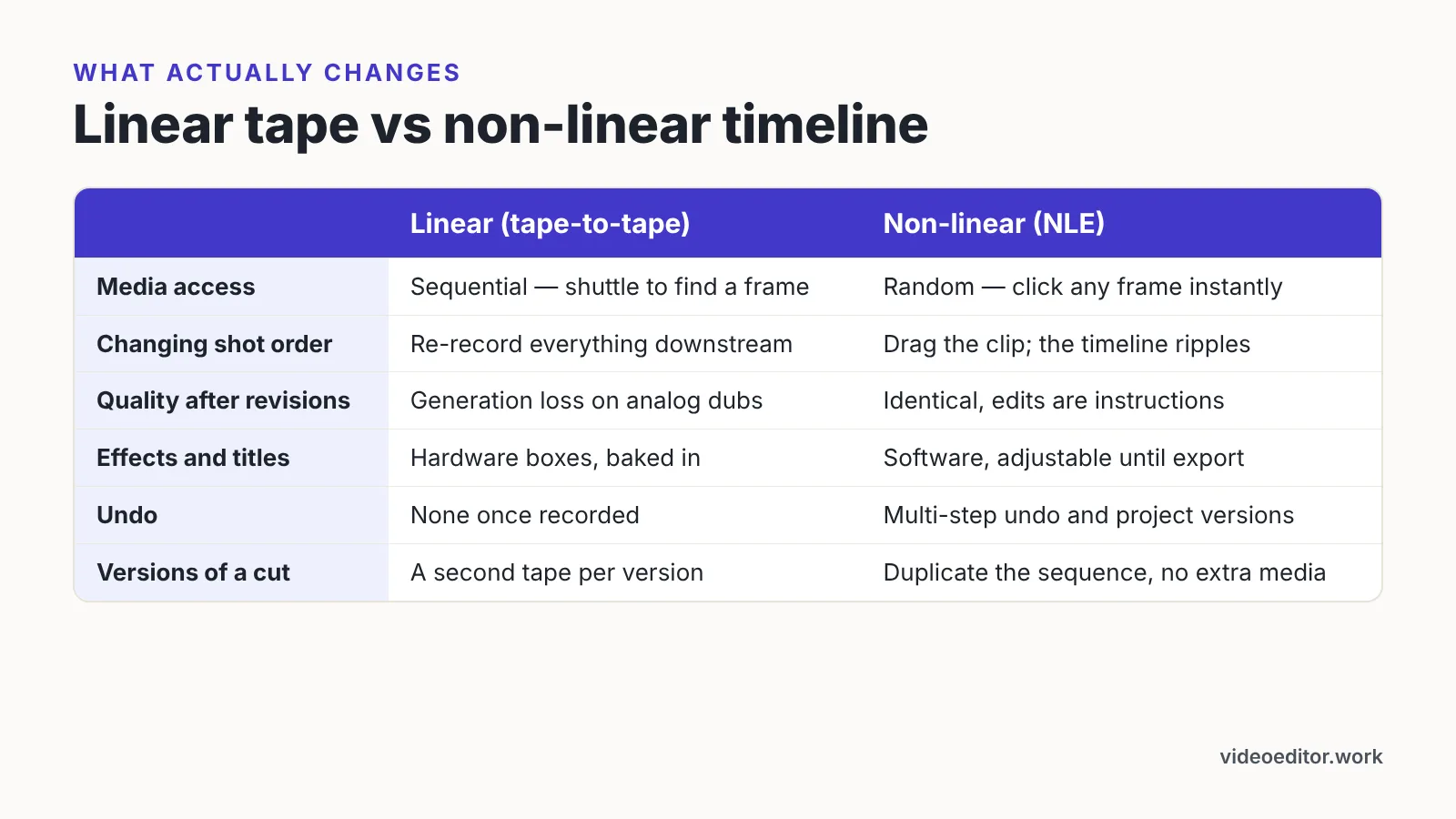
Non-linear vs linear editing: what actually changes
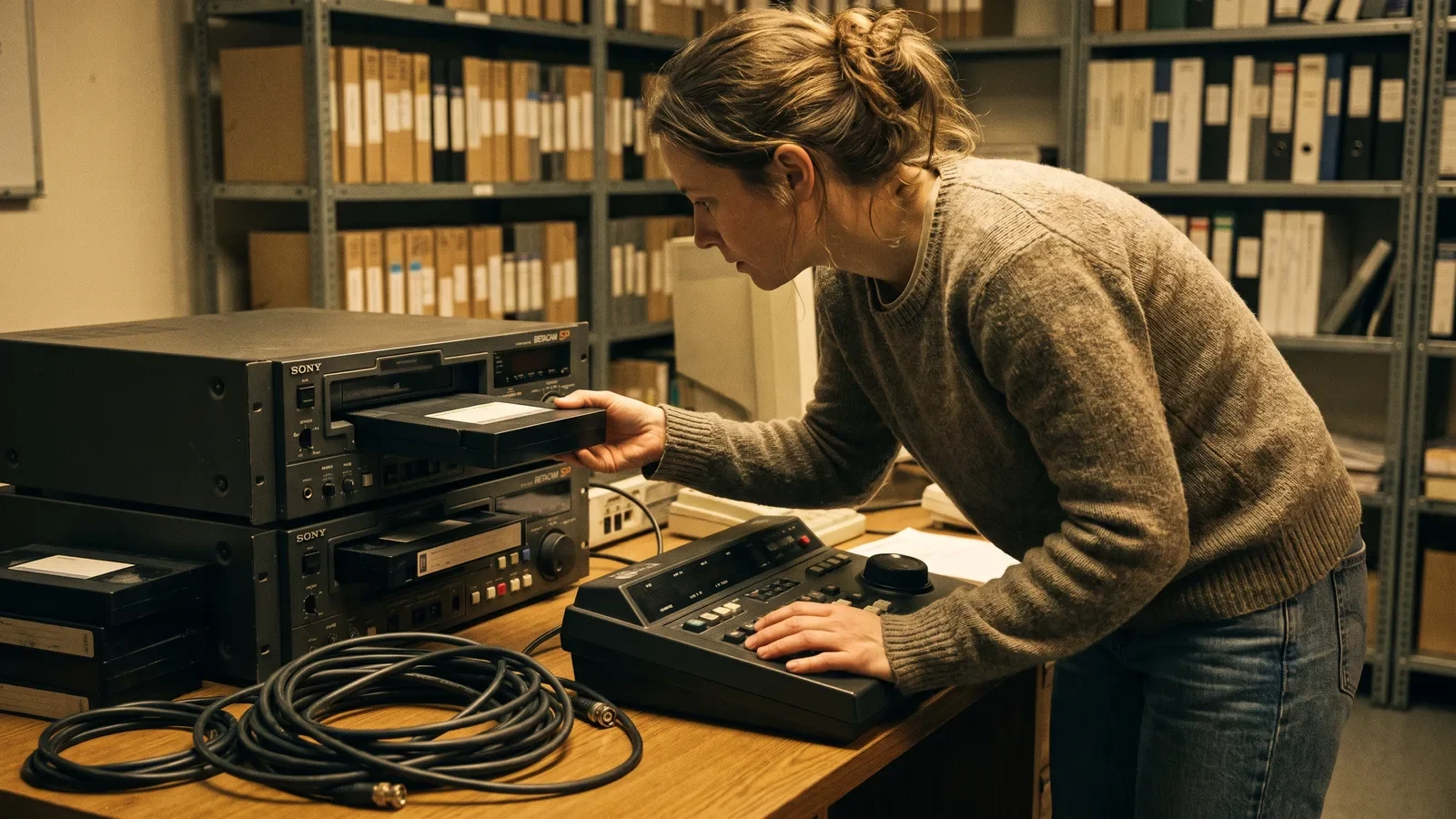
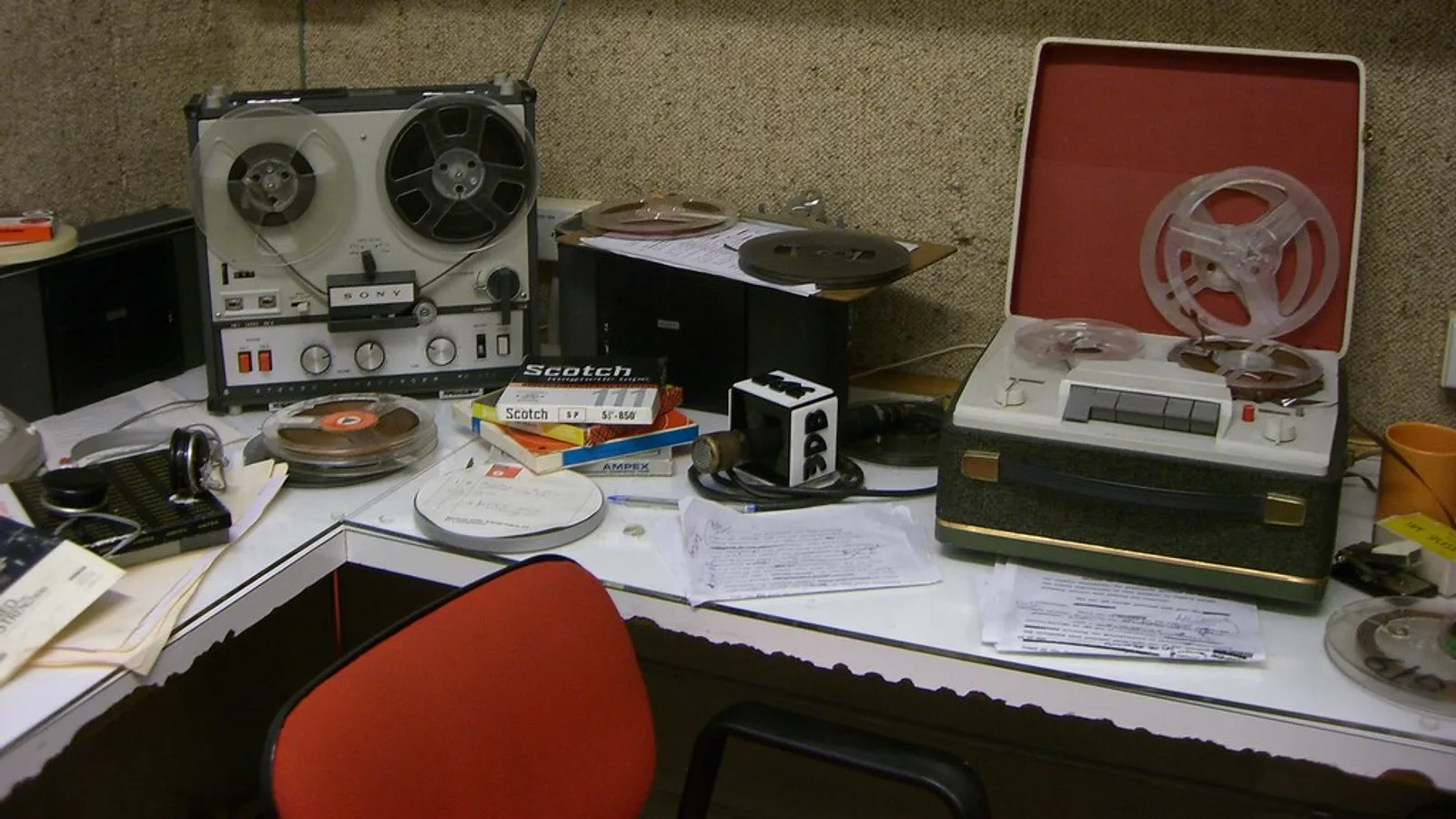
Linear editing meant tape to tape. A player deck fed a recorder deck through an edit controller, and you laid shots down in the order the audience would see them.
Inserting a four-second shot into the middle of a finished reel meant re-recording every shot after it. On analog tape each of those dubs cost a generation: the picture softened, the noise floor rose, colors drifted.
| Linear (tape-to-tape) | Non-linear (NLE) | |
|---|---|---|
| Media access | Sequential — shuttle to find a frame | Random — click any frame instantly |
| Changing shot order | Re-record everything downstream | Drag the clip; the timeline ripples |
| Quality after revisions | Generation loss on analog dubs | Identical, edits are instructions |
| Effects and titles | Hardware boxes, baked in | Software, adjustable until export |
| Undo | None once recorded | Multi-step undo and project versions |
| Versions of a cut | A second tape per version | Duplicate the sequence, no extra media |
The confusion worth clearing up: non-linear does not mean your story must be non-linear. You can still cut strictly from the first shot to the last. The word describes how the software reaches frames, nothing about narrative structure.
Why editors moved from tape decks to timelines
Two forces pushed the industry off tape — random access on spinning drives, then a collapse in software prices.
Professional non-linear editing and grading software collapsed in price around 2010, when Blackmagic Design introduced a software-only macOS version of DaVinci Resolve at $995 — encyclopedia-sourced background, per Wikipedia’s DaVinci Resolve entry. Tools that once lived in a suite with a rate card landed on desks that had never budgeted for a finishing room.
Client revisions did the rest of the convincing. A marketing lead asking to swap the opening shot costs you ten seconds in a timeline and cost a tape editor an afternoon of re-dubbing.
Timelines also absorbed jobs that used to need separate rooms. Color correction, audio mixing, titling and basic compositing moved inside the same application, so you stop exporting between departments.
Tape never fully disappeared from archives, and live production still switches sources in real time. For anything delivered as a file, though, the timeline won on speed, cost and the freedom to change your mind.
The core features every NLE gives you
Feature names differ across apps; the underlying toolset barely does. Expect all of this:
- A multi-track timeline with stacked video layers and separate audio tracks for dialogue, music and effects.
- Trim tools — ripple, roll, slip and slide — that adjust one edit point without disturbing sync elsewhere.
- Keyframes for animating position, scale, opacity and volume over time.
- Transitions and effects stored as adjustable parameters, not burned into the media.
- Color correction with scopes, plus audio metering and a mixer.
- Titles and captions, including burned-in or sidecar subtitle files.
- Media management: bins, markers, proxies, relinking and consolidation.
- Export presets for social, web delivery and mastering codecs.
The free edition of DaVinci Resolve is a complete non-linear editor plus grading, compositing and audio toolset, with no watermark and no time limit, according to The Post Flow. Beginners often assume free tiers cripple exports; that one does not.
Treat the list above as your shopping checklist. An app missing ripple trim or keyframes will slow you down long before its interface charms wear off.
What non-linear editing software costs today
Pricing splits into three models: free, one-time purchase and subscription.
Blackmagic Design sells the paid version of its non-linear editor, DaVinci Resolve Studio, for a one-off US$295, alongside a free version of the same application, according to Blackmagic Design. Apple sells Final Cut Pro on the Mac App Store for $299.99 as a Mac-only application, according to its App Store listing.
Subscription sits on the other side. Adobe’s Premiere single-app plan costs $22.99 per month on an annual commitment, $263.88 prepaid for the year, or $34.99 per month with no commitment, according to Photutorial.
Trials have tightened, and the two halves of that change belong together. Apple ended the standalone free trial of Final Cut Pro after launching the Apple Creator Studio bundle on January 13, 2026, as Cult of Mac reported. Final Cut Pro can now only be trialled free for 1 month through Apple Creator Studio, or 3 months when bought with a new Mac or iPad, according to Ripple Training.
Run the arithmetic over three years before you commit. A one-time license plus the occasional paid upgrade usually beats a monthly plan for solo creators, while teams often prefer subscriptions for shared apps, fonts and cloud storage.
Practical uses: who edits what in an NLE
The same timeline serves wildly different jobs. What changes is which part of the toolset you live in.
- YouTube and short-form creators cut talking-head takes, drop in b-roll and captions, and export vertical and horizontal versions from one sequence.
- Marketers build a 60-second product video, then duplicate the sequence to make 30-, 15- and 6-second cutdowns without re-editing from scratch.
- Wedding and event shooters sync two or three cameras to a single audio recorder and cut multicam, switching angles during playback.
- Documentary editors transcribe long interviews, mark selects, and assemble a radio edit before any picture goes on top.
- Podcasters lay down multicam video, ride levels with keyframes, and export both a video master and an audio-only mix.
- Students and educators cut lecture recordings, add lower thirds, and burn in subtitles for accessibility.
Notice what repeats: duplicate a sequence, change a few edits, export again. That is the practical payoff of non-destructive editing — one project file carries every variant you owe a client.
How to choose your first non-linear editor
Start with constraints, not feature lists. Four questions settle it faster than any comparison chart.
- What machine do you own? Apple sells Final Cut Pro on the Mac App Store as a Mac-only application, so Windows and Linux users can rule it out immediately.
- What does your camera shoot? Check that the app handles your codec natively — H.265 from a phone or mirrorless body, or long-GOP 10-bit from a hybrid camera.
- How do you want to pay? One-time purchase, free tier or monthly plan, judged over three years rather than one month.
- Where will you learn? Pick the editor with the deepest tutorial library for the kind of work you do, because your first fifty questions will be answered by strangers on the internet.
Trial windows matter if you are leaning toward a paid app, and they are shorter than they used to be — check the trial terms set out in the pricing section above before you plan a test project around them.
Give one app a solid month of real projects before judging it. Skills transfer — ripple trim, keyframes and bins work the same way everywhere — so the first choice is less permanent than it feels.
Frequently asked questions
Is non-linear editing the same as non-destructive editing?
They overlap but are not identical. Non-linear describes instant access to any frame in any order; non-destructive describes leaving the original camera files untouched while the project file stores only edit instructions. Every mainstream NLE does both, which is why the terms get used interchangeably.
Does non-linear editing mean my story can’t be told in order?
No. The term refers to how the software reaches media, not to narrative structure. You can assemble a timeline strictly from the first shot to the last and still be editing non-linearly, because you retain the freedom to jump back and change shot three at any moment.
Do I have to pay for non-linear video editing software?
Not necessarily. The free edition of DaVinci Resolve is a complete non-linear editor plus grading, compositing and audio toolset, with no watermark and no time limit, according to The Post Flow, while Blackmagic Design sells the paid Studio version for a one-off US$295.
Is linear editing still used anywhere?
Rarely as a file-based finishing method, but the logic survives in live production, where a vision mixer switches between cameras in real time and the program feed is recorded as it happens. Archive transfers from tape also still run sequentially, one pass at a time.
What computer do I need to run an NLE comfortably?
Prioritize fast storage and a supported graphics card over raw processor marketing. Keep your media on a fast SSD, check the vendor’s list of supported GPUs before you buy, and give yourself as much memory as your budget comfortably allows. If playback stutters, switch to proxies and retest before you spend anything on hardware — smaller stand-in files solve more stutter than an upgrade usually does.
Sources
- DaVinci Resolve — Blackmagic Design
- DaVinci Resolve Studio vs Free: Is It Worth $295? — The Post Flow
- Final Cut Pro on the Mac App Store
- Apple kills free 90-day Final Cut Pro and Logic Pro trial — Cult of Mac
- Final Cut Pro Free Trial Tutorial — Ripple Training
- How much does Adobe Premiere Pro cost? — Photutorial
- DaVinci Resolve — Wikipedia
Written with AI assistance and fact-checked against the sources cited above before the Video Editor Editorial Team published it.