For most editors, the RTX 5060 Ti 16GB and RTX 5070 Ti give the strongest editing and export performance per dollar; the RTX 5060 covers 1080p budgets, while the RTX 5080 and RTX 5090 suit 8K and deadline-driven work.
How we compared
Five NVIDIA cards, one scoring sheet. The list runs from the cheapest Blackwell card upward rather than fastest to slowest, because the question is value, not bragging rights. Each entry ends with a one-line "who it’s for" and a reason to skip it.
Five axes decided the order:
- VRAM headroom — how many 4K layers, Fusion nodes, or noise-reduction passes you can stack before playback stutters.
- Media engines — the fixed-function hardware that decodes your camera files and writes your H.264 and HEVC exports.
- Published lab results — independent content-creation benchmarks in Premiere Pro and DaVinci Resolve Studio, not gaming frame rates.
- Price in comparable units — the number you’d actually pay, divided by VRAM, then weighed against minutes saved on an export you run every week.
- Timeline comfort — scrubbing, warp stabilizer, and GPU-accelerated effects on a timeline you keep open for hours.
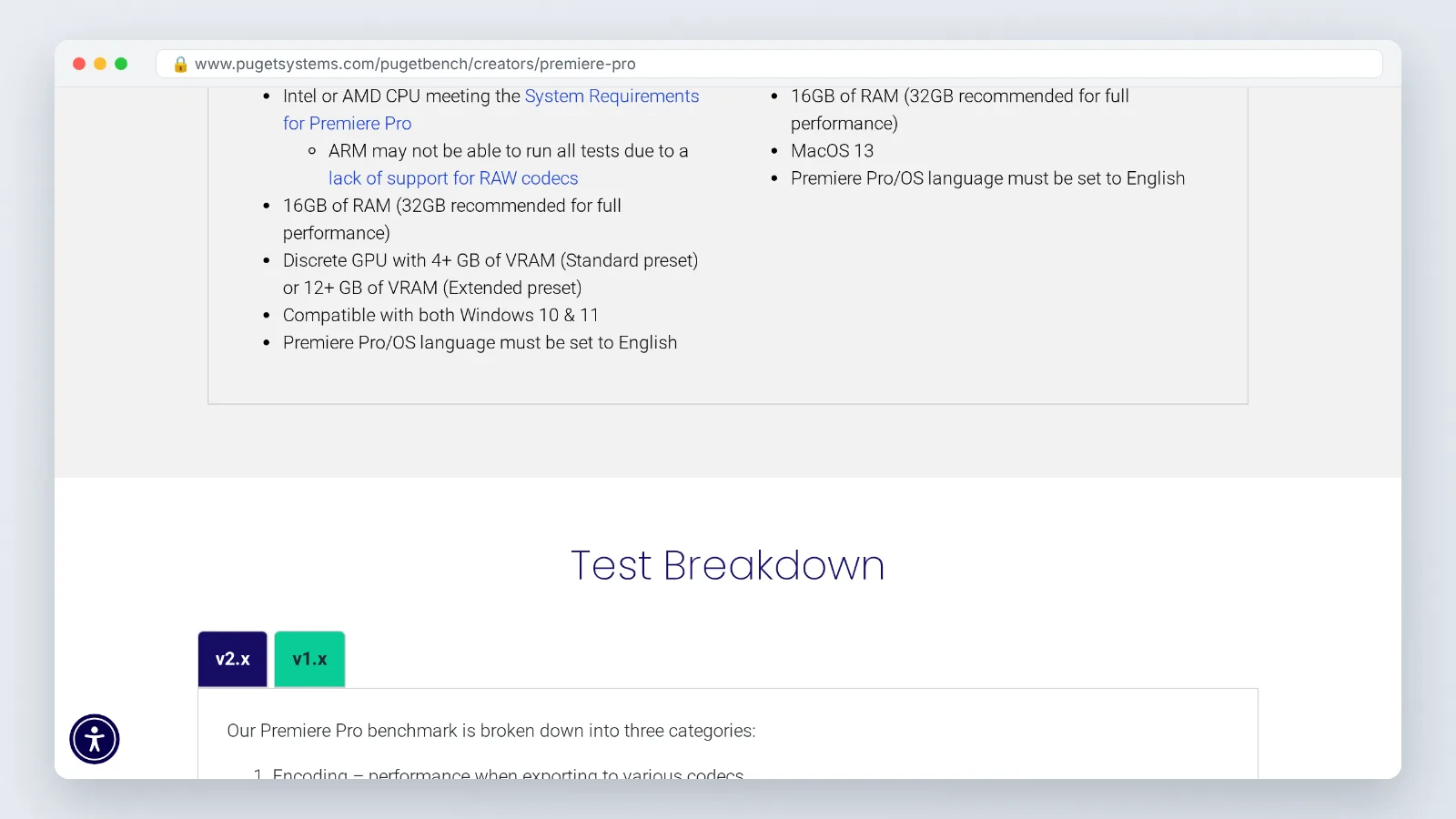
According to Puget Systems, PugetBench for Premiere Pro requires a discrete GPU with at least 4 GB of VRAM for its Standard preset and 12 GB or more for the Extended preset. That single threshold does more sorting than any clock speed. Puget Systems also reports that every RTX 50-series GPU uses NVIDIA’s 9th-generation NVENC encoder and 6th-generation NVDEC decoder, which means a cheap Blackwell card and an expensive one write the same hardware-accelerated export at broadly similar quality.
What this comparison could not verify: nothing was tested in-house, so there are no original export times here. Board-partner cooler noise, power draw under a four-hour grade, and real-world retail pricing all vary by model and week. Driver updates after October 2026 may shift results again.
| GPU | VRAM | Strongest at | Price evidence | Skip it if |
|---|---|---|---|---|
| RTX 5060 | 8 GB | 1080p and light 4K H.264 | Family starts at $299 (NVIDIA) | You run Extended-preset workloads |
| RTX 5060 Ti 16GB | 16 GB | 4K multicam on a budget | Not in evidence | You grade 8K dailies |
| RTX 5070 Ti | 16 GB | Daily paid 4K client work | $749 MSRP (Wccftech) | You only cut short-form 1080p |
| RTX 5080 | Check the listing | Resolve Studio noise reduction | Not in evidence | Your bottleneck is CPU or storage |
| RTX 5090 | Highest in the lineup | 8K timelines, longest upgrade cycle | Not in evidence | You already own an RTX 4090 |
1. NVIDIA GeForce RTX 5060 (8GB)
This is the floor, and it is a usable floor. NVIDIA’s newsroom states that the RTX 5060 family starts at $299, setting the entry price point for Blackwell-generation editing GPUs. For a creator cutting talking-head videos, screen recordings, and 1080p social edits, that buys a modern encoder without touching the rest of your build.
The 8 GB frame buffer is the catch, and it is not a small one. Puget Systems lists 12 GB or more of VRAM as the requirement for PugetBench for Premiere Pro’s Extended preset, so this card sits below the bar that heavier creative workloads are measured against. You will feel that first in After Effects, in Resolve’s Fusion page, and in any project with several 4K layers plus effects stacked on top.
Plan around it instead of fighting it. Use proxies for 4K source media, keep your preview resolution at half, and render out before stacking a second round of effects. That workflow is normal for budget builds and costs you minutes, not hours.
Who it’s for: a beginner or part-time creator finishing 1080p edits on a tight build budget.
Don’t buy it if: you regularly open 4K multicam sequences or run GPU noise reduction, where 8 GB runs out before the GPU does.
2. NVIDIA GeForce RTX 5060 Ti 16GB
Doubling the memory changes which projects open without a fight. The 16 GB version clears the 12 GB threshold Puget Systems sets for PugetBench for Premiere Pro’s Extended preset, which is the practical dividing line between a budget card and a working card. Buy the 16 GB variant specifically; the 8 GB version of the same name does not clear it.
Mirrorless shooters get a second reason to care. VideoCardz reports that RTX 50-series GPUs added hardware encode and decode support for the 4:2:2 professional color format, which earlier GeForce cards lacked. If your camera records 4:2:2 10-bit, that decode work moves off your CPU and your timeline scrubs instead of stalling.
Raw compute is still mid-range, so long exports and heavy temporal effects take longer here than on the cards above it. The trade is deliberate: you are paying for memory capacity rather than peak throughput, and for most 4K edits memory is what runs out first.
Who it’s for: an intermediate editor cutting 4K multicam weddings, interviews, or YouTube content who wants headroom over speed.
Don’t buy it if: your work is mostly 8K source or hour-long color grades, where the slower core becomes the bottleneck.
3. NVIDIA GeForce RTX 5070 Ti
This is the value pick for editors who get paid. Wccftech reports that the GeForce RTX 5070 Ti launched with 16 GB of memory at a $749 MSRP, pairing serious compute with a frame buffer that clears Puget Systems’ 12 GB Extended-preset requirement. You get the upper-mid-range core without paying flagship money for memory you may never fill.
The practical difference against the 5060 Ti shows up on long jobs. Temporal noise reduction, optical flow retiming, stabilization passes, and multi-node Resolve grades all scale with GPU compute, so a 40-minute wedding film exports in noticeably less wall-clock time. Timeline scrubbing on effects-heavy sequences also holds up better during a client review call.
Run the value math before you commit. Take the price you’d actually pay, divide by the hours you spend waiting on exports each month, and compare that against a cheaper card plus a proxy workflow.
Who it’s for: a freelancer or small studio editor delivering 4K client work on deadline every week.
Don’t buy it if: you cut short vertical video at 1080p, where the extra compute mostly sits idle while your CPU and storage do the work.
4. NVIDIA GeForce RTX 5080
Colorists and effects-heavy editors are the audience here. Puget Systems measured the RTX 5080 at a 10% lead over the RTX 4080 SUPER in DaVinci Resolve Studio, tying the RTX 4090 and beating the RTX 3080 Ti by 21%. That last figure is the one to weigh if you are upgrading from an Ampere card rather than from last generation.
Two things follow from those numbers. A generational jump from the 4080 SUPER is modest, so the upgrade case is weak if you bought one recently. A jump from a 3080 Ti is real, and it compounds across every noise-reduction node and every Fusion comp you render.
Verify the VRAM on the exact card listing before you buy, because memory capacity decides whether the extra compute ever gets used. Check your power supply headroom and case clearance too; board-partner coolers on this tier are long.
Who it’s for: an editor who grades in Resolve Studio daily and is coming from an RTX 3080 Ti or older.
Don’t buy it if: you already run an RTX 4080 SUPER or RTX 4090, since Puget Systems’ own figures put the 5080 at a tie with the 4090 in Resolve Studio.
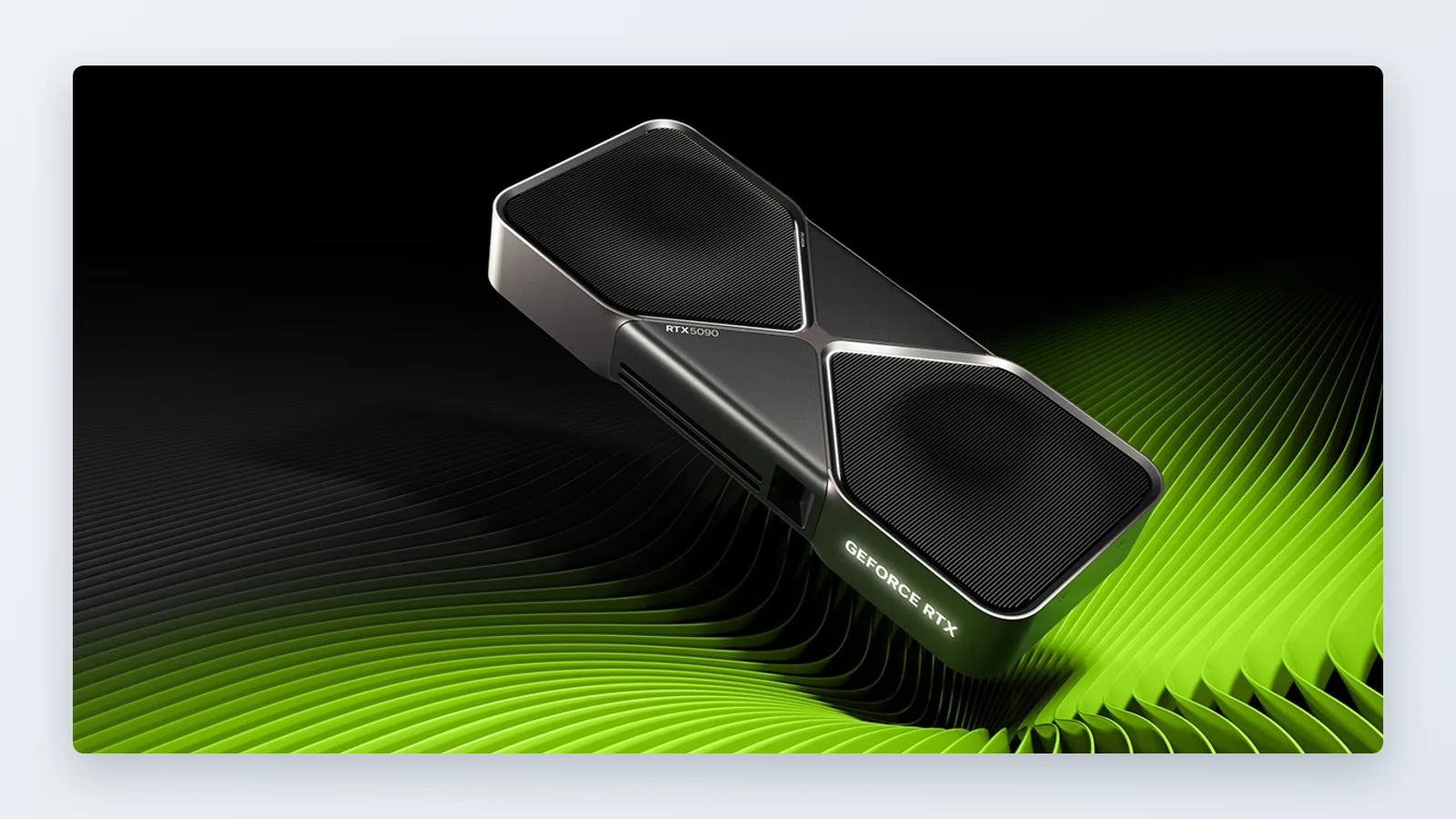
5. NVIDIA GeForce RTX 5090
The flagship is a time-saving purchase, not a value purchase. In Puget Systems’ content-creation testing, the RTX 5090 was only about 9% faster overall than the RTX 4090 in Adobe Premiere Pro. Single-digit gains do not justify a flagship price if you already own the previous flagship.
The case changes if you are building new. The largest frame buffer in the lineup is what lets 8K RAW timelines, multi-layer comps, and GPU-accelerated machine-learning tools stay resident in memory instead of spilling. Editors who bill by the project rather than by the hour tend to buy at this tier for the longest usable life, not for the benchmark number.
Budget for the whole system. A flagship GPU paired with slow NVMe storage or a weak CPU will leave you staring at the same progress bar.
Who it’s for: a post house or full-time professional handling 8K source, heavy effects, and a five-year upgrade cycle.
Don’t buy it if: your current card is an RTX 4090, where Puget Systems measured roughly a 9% Premiere Pro difference that you will rarely notice on a 10-minute export.
Which one fits you
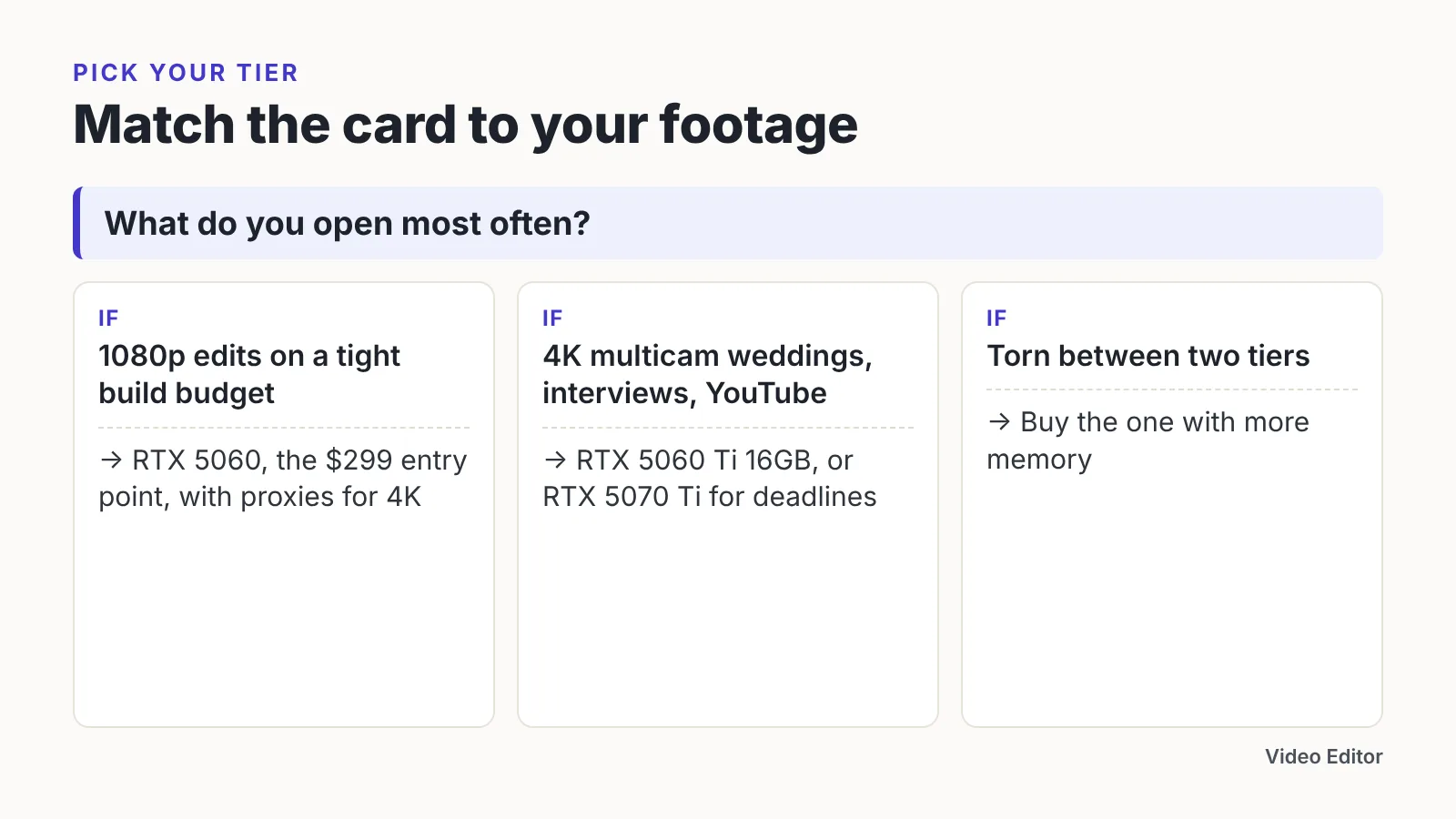
Match the card to the footage you open most often, not to the project you might shoot next year.
| If this is your situation | Buy this |
|---|---|
| 1080p YouTube and client reels, smallest viable budget | RTX 5060 (8GB) |
| 4K multicam, 4:2:2 mirrorless footage, occasional motion graphics | RTX 5060 Ti 16GB |
| Paid 4K delivery every week, Resolve color nodes, firm deadlines | RTX 5070 Ti |
| Heavy Resolve Studio grading, upgrading from an RTX 3080 Ti | RTX 5080 |
| 8K source files, machine-learning tools, longest upgrade cycle | RTX 5090 |
| You already own an RTX 4090 and cut in Premiere Pro | Keep it for now |
Three checks before you order. Confirm the VRAM on the specific listing, since identical model names ship with different memory sizes and Puget Systems sets 12 GB or more as the requirement for PugetBench for Premiere Pro’s Extended preset. Confirm your power supply and case clearance. Confirm that your storage can feed the card, because an external drive on a slow connection will cap playback regardless of which GPU is installed.
If you are genuinely torn between two tiers, buy the one with more memory. Compute gaps close with a proxy workflow and a little patience; a frame buffer that runs out mid-render does not.
Frequently asked questions
Is 8 GB of VRAM enough for 4K video editing?
It works for simple 4K cuts with proxies, but it sits under the bar Puget Systems sets for PugetBench for Premiere Pro’s Extended preset, which requires 12 GB or more of VRAM. Expect to use half-resolution previews and proxy media on an 8 GB card.
Is the RTX 5090 worth upgrading to from an RTX 4090?
Probably not for Premiere Pro work. In Puget Systems’ content-creation testing, the RTX 5090 was only about 9% faster overall than the RTX 4090 in Adobe Premiere Pro, so the upgrade mostly makes sense if you need the larger frame buffer for 8K timelines.
Do I need an RTX 50-series card for 4:2:2 footage?
It helps considerably. VideoCardz reports that RTX 50-series GPUs added hardware encode and decode support for the 4:2:2 professional color format, which earlier GeForce cards lacked, so 4:2:2 10-bit mirrorless files decode on the GPU instead of loading your CPU.
What is the cheapest NVIDIA GPU worth buying for editing?
The RTX 5060 is the realistic entry point, and NVIDIA’s newsroom states that the RTX 5060 family starts at $299. Pair it with proxy workflows for 4K source media, because its 8 GB frame buffer fills faster than its compute runs out.
Does the RTX 5080 beat older flagship cards in DaVinci Resolve?
It matches the previous flagship and clearly beats older ones. Puget Systems measured the RTX 5080 at a 10% lead over the RTX 4080 SUPER in DaVinci Resolve Studio, tying the RTX 4090 and beating the RTX 3080 Ti by 21%.
Sources
- NVIDIA Blackwell GeForce RTX Arrives for Every Gamer, Starting at $299 (NVIDIA Newsroom)
- NVIDIA GeForce RTX 5070 Ti "16 GB" GPU Launched: Now Available With An MSRP of $749 (Wccftech)
- NVIDIA GeForce RTX 5090 Content Creation Review (Puget Systems)
- NVIDIA GeForce RTX 5080 Content Creation Review (Puget Systems)
- Puget Bench for Premiere Pro (Puget Systems)
- NVIDIA GeForce RTX 50-Series Features for Content Creators (Puget Systems)
- NVIDIA GeForce RTX 50 series adds support for 4:2:2 color format video decoding and encoding (VideoCardz)
Written with AI assistance and fact-checked against the sources cited above before the Video Editor Editorial Team published it.